

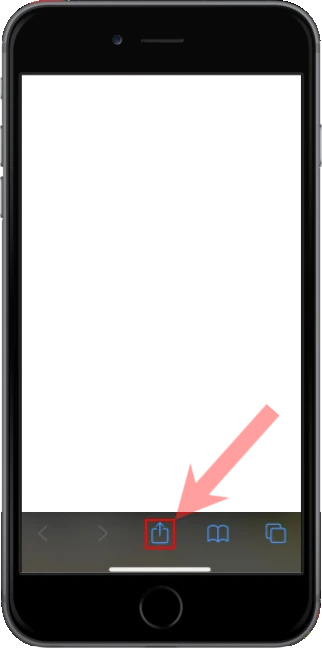
Open this site in Safari (not Chrome or Instagram). Tap the Share button — a square with an arrow pointing up — in the toolbar at the bottom of the screen.
Step 2 of 4
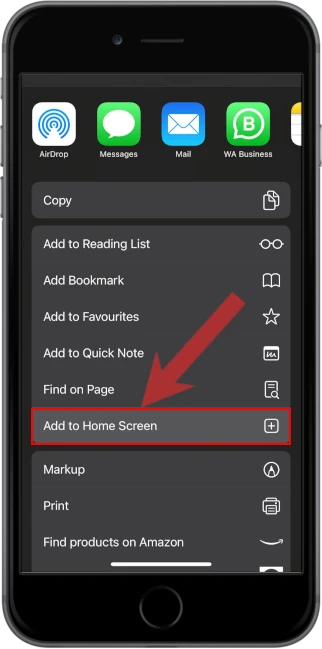
Tap Add to Home Screen
In the share sheet, scroll if needed, then tap Add to Home Screen. It is below Find on Page.
Step 3 of 4
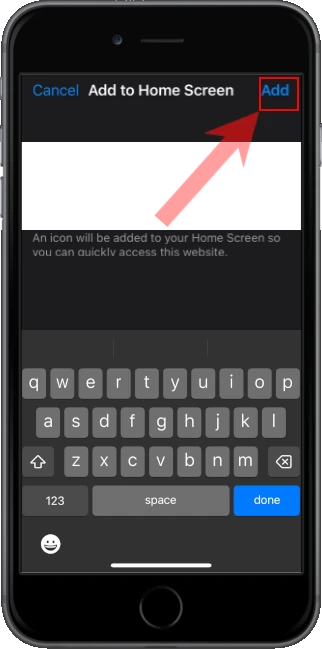
Tap Add
Check the name, then tap Add in the top right. iOS puts the icon on your Home Screen.
Step 4 of 4
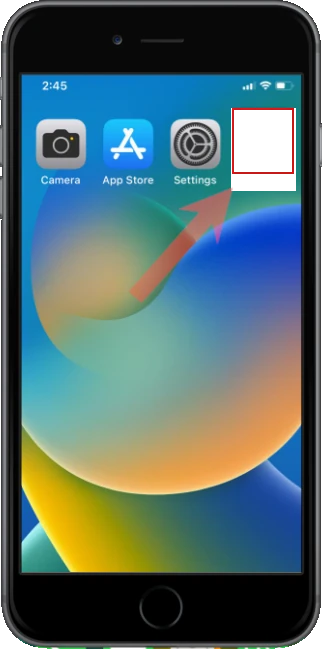
Open it from the Home Screen
Leave Safari and tap the new icon like any other app. Alerts and full-screen mode only work from that icon.